
Platform roles
Who uses AI School Management?
One school account, seven school-facing roles. Each person signs in with their mobile number and password, then lands in a portal built for their job — not a shared inbox. Scroll to the walkthrough GIFs below to see real screens for each role.
See the real screens
Walk through each role
Short GIFs from real product screens — pick a role to see what that person sees after sign-in (fees, results, attendance, transport, and more). Start a trial when you are ready to explore with your own school data.
School admin
Principal / school owner · Admin dashboard
Dashboard, attendance, users, homework, notices, fee ledger with payment modes, and AI assistant.
Auto-playing walkthrough
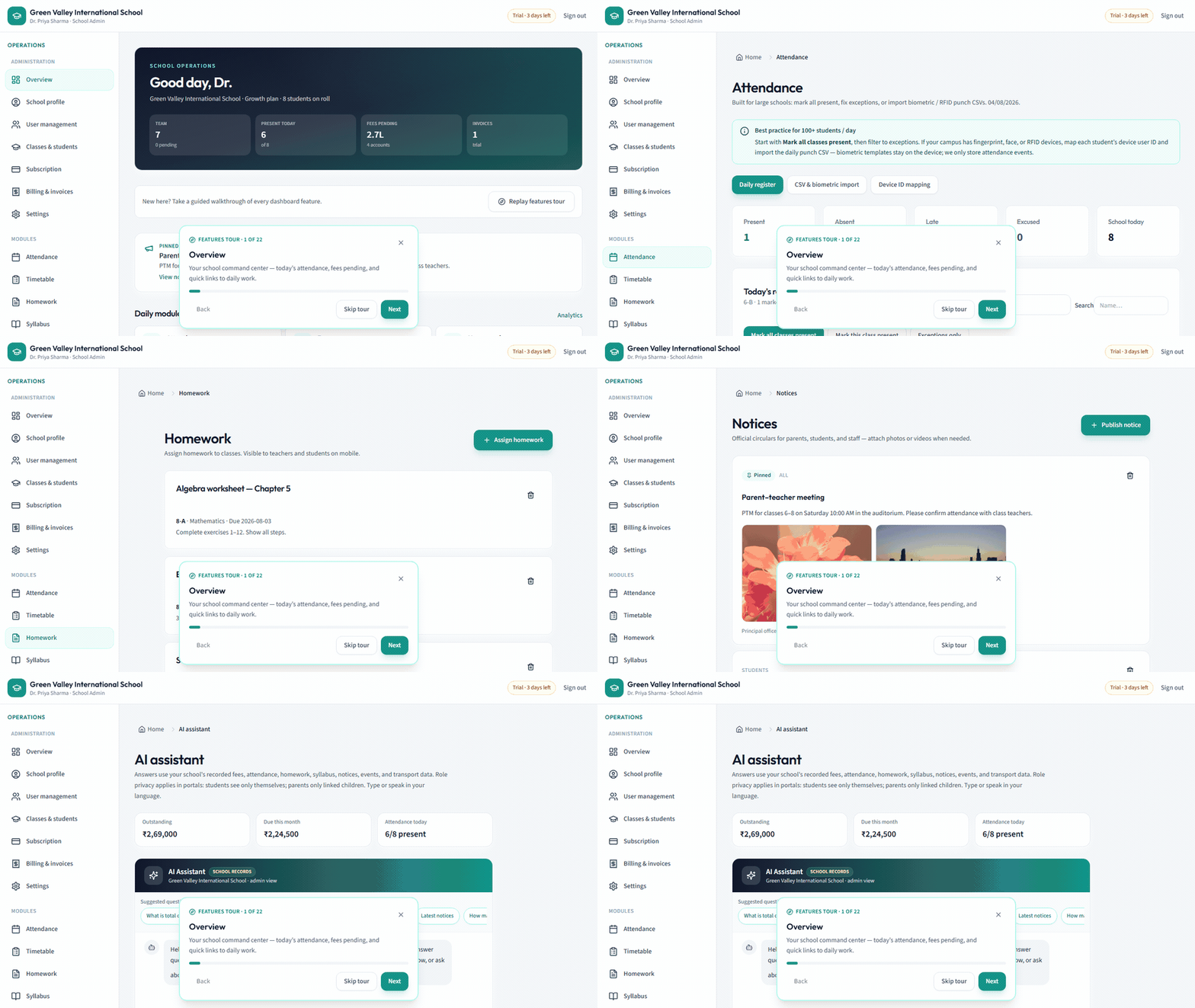
School admin
Principal / school owner · Admin dashboard
- Invite and manage all users
- Classes, students, and parent linking
- Subscription, billing, and school settings
- Attendance, fees, transport, results, notices, and local-language AI
- Analytics and reports across the school
Sub admin
Office / operations lead · Admin dashboard
- Run day-to-day school operations
- Manage users, classes, and academic modules
- Publish notices, events, and community posts
- Support teachers and parents without full billing control
Teacher
Class / subject teacher · Staff portal
- Mark class attendance fast (mark-all-present + exceptions) or use biometric CSV from admin
- Assign homework and publish syllabus
- Enter results and share online class links
- View timetable and leave requests
- Use the AI assistant for class-scoped help in your local language
Parent
Guardian of enrolled students · Family portal
- See children’s attendance and published exam results
- View total fees, paid, balance due, fee heads, and school payment modes (UPI / office)
- Track the school bus for linked children
- Read notices, homework, and community updates
- Submit leave requests
- Ask the AI assistant in a local language about linked children
Student
Enrolled learner (age-aware login) · Student portal
- Timetable, homework, and syllabus
- Exam results and school notices
- Community feed and holidays
- AI study help scoped to their records — ask in a local language
Bus driver
Transport staff on an assigned route · Driver portal
- See assigned route, vehicle, and stops
- Update trip status for parent visibility
- Access emergency contacts and call options
Bus attendant
Boarding / safety helper on the bus · Attendant portal
- Student boarding checklist for the assigned route
- Pickup stops and parent contact numbers
- Coordinate safe pickup and drop without academic or fee data
Ready to invite your team?
Start a 7-day trial, then invite admins, teachers, parents, students, drivers, and bus attendants from User management.